
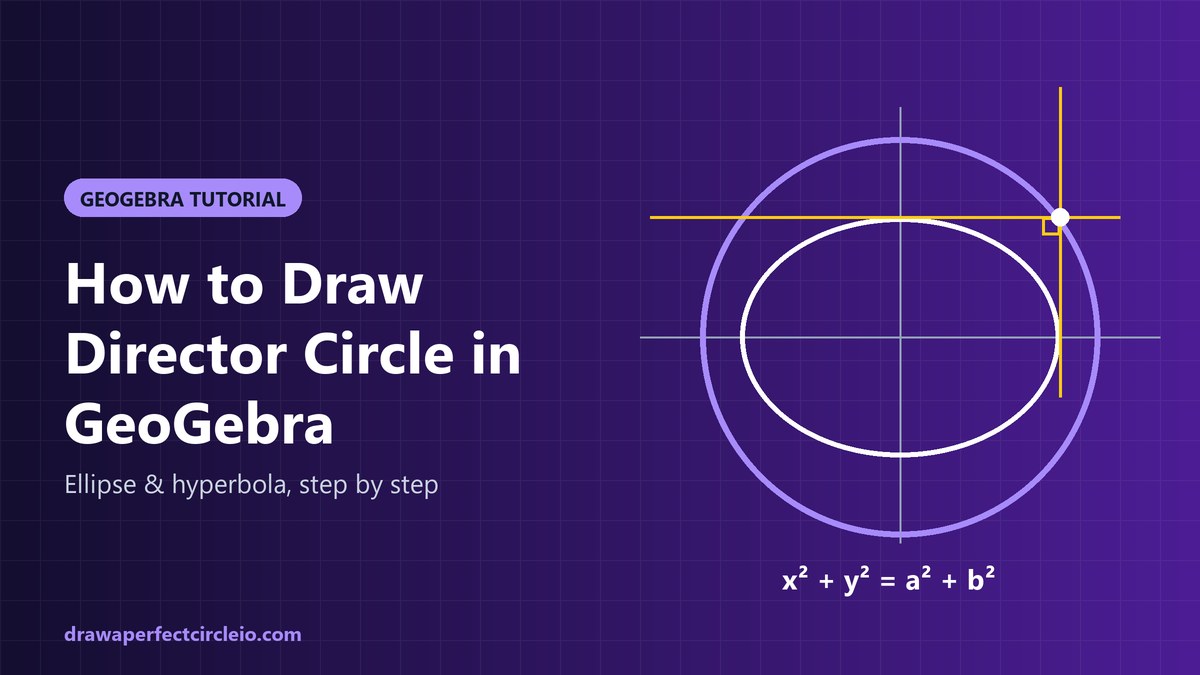
To learn how to draw a director circle in GeoGebra, enter the ellipse x^2/a^2 + y^2/b^2 = 1, then type Circle((0,0), sqrt(a^2+b^2)) in the Input Bar. The director circle is the set of points where the two tangents to the conic meet at 90°. You can check it with Tangents and Angle.
a and b. (2) Enter c: x^2/a^2 + y^2/b^2 = 1. (3) Enter d: Circle((0,0), sqrt(a^2+b^2)). (4) Add P = Point(d) and Tangents(P, c). (5) Measure the angle between the two tangents with Angle. It reads 90° wherever you drag P.What Is a Director Circle?
Pick any point outside an ellipse and you can draw exactly two tangent lines from it to the curve. The points where those tangents are perpendicular form a perfect circle.
That circle is the director circle, also called the orthoptic circle. “Orthoptic” means “seen at a right angle”: from any point on it, the conic fills exactly a 90° view between the two tangents.
For an ellipse, the director circle always shares the ellipse’s center and fully surrounds it. It never touches the ellipse, because every point on the ellipse has only one tangent, not two.
The director circle of an ellipse
For the standard ellipse x²/a² + y²/b² = 1, the director circle is:
x² + y² = a² + b²
So its radius is √(a² + b²). A quick way to remember it: picture the rectangle that just encloses the ellipse, with sides 2a and 2b. Its corners are at (±a, ±b), and at each corner the two sides of the rectangle are perpendicular tangents. The distance from the center to a corner is √(a² + b²), so those four corners sit on the director circle.
If the ellipse is centered at (h, k) instead of the origin, the circle simply moves with it: (x − h)² + (y − k)² = a² + b².
The director circle of a hyperbola
For the hyperbola x²/a² − y²/b² = 1, the director circle is x² + y² = a² − b². That has a catch:
- If a > b, you get a real circle with radius √(a² − b²).
- If a = b (a rectangular hyperbola), the radius is 0. The circle shrinks to the center point, and the only “perpendicular tangents” are the asymptotes, which meet at the center.
- If a < b, a² − b² is negative, so there is no real director circle. No point in the plane sees the hyperbola at a right angle.
The parabola case
A parabola has no center, so its “director circle” degenerates into a straight line: the directrix. For y² = 4px, any two perpendicular tangents meet on the line x = −p.
Director Circle Equations at a Glance
| Conic | Equation | Director circle (orthoptic) | Radius |
|---|---|---|---|
| Ellipse at origin | x²/a² + y²/b² = 1 | x² + y² = a² + b² | √(a² + b²) |
| Ellipse at (h, k) | (x−h)²/a² + (y−k)²/b² = 1 | (x−h)² + (y−k)² = a² + b² | √(a² + b²) |
| Circle | x² + y² = r² | x² + y² = 2r² | r√2 |
| Hyperbola, a > b | x²/a² − y²/b² = 1 | x² + y² = a² − b² | √(a² − b²) |
| Rectangular hyperbola, a = b | x² − y² = a² | Point circle at center | 0 |
| Hyperbola, a < b | x²/a² − y²/b² = 1 | None (not real) | — |
| Parabola | y² = 4px | Directrix x = −p (a line) | — |
Worked Example: a = 4, b = 3
Take the ellipse x²/16 + y²/9 = 1. Here a = 4 and b = 3, so a² + b² = 16 + 9 = 25.
The director circle is x² + y² = 25, with center (0, 0) and radius 5. Check a corner of the bounding rectangle: (4, 3) gives 16 + 9 = 25, so it lies on the circle. The point (5, 0) is also on it, and from (5, 0) the two tangents to this ellipse meet at exactly 90°.
Use these as your starting slider values below.
How to Draw Director Circle in GeoGebra: Step by Step
These steps work in GeoGebra Classic, the Graphing Calculator, and the Geometry app, both on the web at geogebra.org and in the desktop or mobile apps. Type everything into the Input Bar (the “Input” row of the Algebra panel).
Step 1: Create sliders for a and b
- In the Input Bar, type
a = Slider(1, 10, 0.1)and press Enter. - Type
b = Slider(1, 10, 0.1)and press Enter. - Set their values by typing
SetValue(a, 4)andSetValue(b, 3), or just drag each slider.
Shortcut: typing a = 4 also creates a number, and in most GeoGebra apps you can show it as a slider by clicking the circle icon next to it in the Algebra view. You can also use the Slider tool from the toolbar.
Step 2: Enter the ellipse
- Type
c: x^2/a^2 + y^2/b^2 = 1and press Enter. - GeoGebra draws the ellipse and names it
c.
You can also build an ellipse with the Ellipse command, which takes two foci and the semi-major axis length, for example Ellipse((-sqrt(7), 0), (sqrt(7), 0), 4). The equation form is easier here because it ties directly to the sliders.
Step 3: Draw the director circle
You have two equally good options:
- As an equation:
d: x^2 + y^2 = a^2 + b^2 - As a circle command:
d: Circle((0,0), sqrt(a^2 + b^2))
The Circle(<Point>, <Radius>) form is handy because you can replace (0,0) with Center(c). Then the circle always sits on the ellipse’s center, even if you move the ellipse later: d: Circle(Center(c), sqrt(a^2 + b^2)).
With a = 4 and b = 3, the Algebra view should show the circle as x² + y² = 25.
Step 4: Put a point on the director circle
- Type
P = Point(d)and press Enter. - P now lives on the circle. You can drag it, but it cannot leave the circle.
Step 5: Draw both tangents from P
- Type
Tangents(P, c)and press Enter. - GeoGebra creates two lines, usually named
fandg(check the Algebra view for the actual names).
Step 6: Measure the angle between the tangents
- Type
Angle(f, g), using the names your tangent lines received. - The result should be 90°. Depending on the line directions, it may show 270°, which is the same right angle measured the other way. In the angle’s settings, choose the 0° to 180° range to always see 90°.
- Drag P around the circle. The angle stays at 90° everywhere.
Now move the sliders. Change a to 6 or b to 2, and the ellipse, the director circle, the tangents, and the angle all update together.
Step 7 (optional): Generate the circle as a locus
Steps 4 to 6 test the formula. This step builds the director circle from scratch, without using the formula at all, using the Locus command.
- Type
T = Point(c)to place a point on the ellipse. - Type
t1 = Tangents(T, c)to draw the tangent at T. - Type
n = PerpendicularLine(T, t1)for a direction at 90° to that tangent. - Type
Tangents(n, c). This gives the two tangents parallel ton, which are perpendicular tot1. Note their names, sayuandv. - Type
Q = Intersect(t1, u). Q is where two perpendicular tangents meet. - Type
Locus(Q, T). GeoGebra draws the path of Q as T moves around the ellipse.
The locus lands exactly on top of your director circle. If you prefer a hands-on version, right-click Q, turn on Trace, and drag T around the ellipse to paint the circle yourself.
Director Circle of a Hyperbola in GeoGebra
The workflow is almost the same. Keep your sliders and enter a hyperbola instead.
- Type
k: x^2/a^2 - y^2/b^2 = 1. - Type
e: Circle((0,0), sqrt(a^2 - b^2)). - Set a = 5 and b = 3. The circle becomes x² + y² = 16, radius 4.
- Add
R = Point(e), thenTangents(R, k)andAnglebetween the two lines, as before.
Now drag b up toward a. The circle shrinks. At a = b it collapses to the origin, and once b passes a, GeoGebra marks the circle as undefined, because the square root of a negative number has no real value. That is the geometry telling you no real director circle exists.
You can also use the Hyperbola command, which takes two foci and the semi-major axis length, such as Hyperbola((-sqrt(34), 0), (sqrt(34), 0), 5) for a = 5, b = 3.
Ellipse Not Centered at the Origin
Shift the ellipse to center (h, k) and the director circle shifts with it. Add two more sliders, then:
- Type
h = Slider(-5, 5, 0.5)andk = Slider(-5, 5, 0.5). - Type
c2: (x - h)^2/a^2 + (y - k)^2/b^2 = 1. - Type
d2: Circle(Center(c2), sqrt(a^2 + b^2)), or the equation(x - h)^2 + (y - k)^2 = a^2 + b^2.
Drag h and k and both shapes move together. The radius never changes, because it depends only on a and b. If you named a hyperbola k earlier, pick a different slider name to avoid a conflict.
Common Mistakes
- Using a + b instead of √(a² + b²). The radius is the square root of the sum of the squares. For a = 4, b = 3, it is 5, not 7.
- Forgetting the center shift. For an ellipse at (h, k), the circle is centered at (h, k), not the origin. Using
Center(c)avoids this. - Using the ellipse formula for a hyperbola. Hyperbolas use a² − b², not a² + b².
- Expecting a circle when a < b on a hyperbola. There is none. An “undefined” object in GeoGebra is correct, not a bug.
- Reading 270° as a failure. It is the same right angle measured the other direction. Change the angle range in settings.
- Mixing up names. GeoGebra auto-names objects. If
Angle(f, g)fails, check what your tangent lines are actually called. - Typing ^ incorrectly. Use
x^2, notx2, and usesqrt( )for square roots.
Beyond the Screen
To sketch the result by hand, see our guide on how to draw a perfect circle freehand and with tools covers the basics. No compass nearby? Try these methods for drawing a circle without a compass; the string-and-pin trick also draws ellipses. And if you need a quick diagram in a document rather than a full construction, see how to draw a circle in Google Docs.
Frequently Asked Questions
What is the equation of the director circle of an ellipse?
For the ellipse x²/a² + y²/b² = 1, the director circle is x² + y² = a² + b². It is centered at the ellipse’s center with radius √(a² + b²). For an ellipse centered at (h, k), the equation becomes (x − h)² + (y − k)² = a² + b². The radius depends only on the two semi-axes.
Is the director circle the same as the orthoptic circle?
Yes. Both names describe the locus of points from which the two tangents to a conic meet at a right angle. “Director circle” is the traditional term in many textbooks, while “orthoptic” is the general name used for any curve with this property. For a parabola, the orthoptic is the directrix, a straight line.
Which GeoGebra command draws a director circle?
GeoGebra has no dedicated director circle command, but one line does the job: Circle((0,0), sqrt(a^2 + b^2)) for an ellipse at the origin. Use Circle(Center(c), sqrt(a^2 + b^2)) to follow the ellipse’s center. You can also type the equation x^2 + y^2 = a^2 + b^2 directly.
How do I prove the tangents are perpendicular in GeoGebra?
Place a point on the director circle with P = Point(d), draw both tangents with Tangents(P, c), and measure them with Angle. The result is 90°, or 270° depending on direction. Drag P around the circle and change the sliders; the angle stays at a right angle every time.
Does every hyperbola have a director circle?
No. For x²/a² − y²/b² = 1, the director circle x² + y² = a² − b² is real only when a is greater than b. When a equals b, it shrinks to a single point at the center. When a is less than b, no real director circle exists, and GeoGebra shows the circle as undefined.
What is the director circle of a circle?
A circle is an ellipse with a = b = r, so its director circle is x² + y² = 2r², with radius r√2. From any point on that larger circle, the two tangents to the original circle form a right angle. Together with the radii to the tangent points, they make a square with side r.
Conclusion
Now you know how to draw a director circle in GeoGebra and why it works. Enter the conic, add the circle with radius √(a² + b²) for an ellipse or √(a² − b²) for a hyperbola, and confirm the right angle with Tangents and Angle. Drag everything around and let the 90° reading confirm the geometry.